

Viewing Article
 | Jan 5 2011, 6:13 PM |

Sharedband is an extra piece of software added to the routers to allow ADSL bonding. If we turn this software off then the modem is EXACTLY like a standard modem, This is useful to troubleshoot connectivity issue's with your ISP.
Netgear
To turn Sharedband off, navigate to the IP of the router in a web browser (http://192.168.3.# by Default, where # is the router number)
On the left hand menu click 'Configuration' under the Sharedband sub-heading.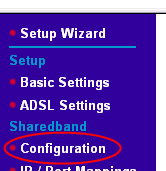
Change Sharedband Enabled to 'No' Then click Save.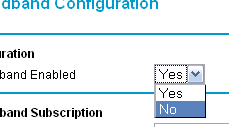
You will then be asked to reboot. (The details on this page remain in the routers memory)
You will then need to unplug that router from the other Sharedband router(s) and Other Device(s), then plug directly into it with a laptop/PC.
Once the router has rebooted, you will need to go into the Basic Setup Page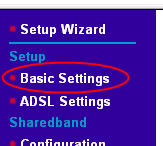
and set the NAT Mode to 'Enabled'
Once you have fixed the issue just reverse what you have done above, reboot the modem, and reconnect to other Router(s)/Device(s)
TP-Link W8968
To turn Sharedband off, navigate to the IP of the router in a web browser (http://192.168.3.# by Default, where # is the router number)
On the left hand menu click 'Configuration' under the Sharedband sub-heading.
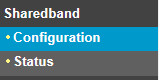
Change Sharedband Enabled to 'No' Then click Save.
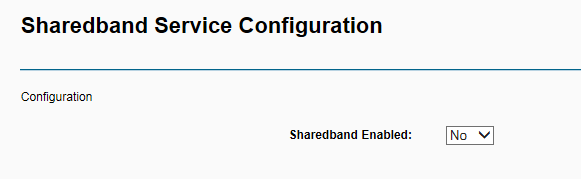
You will then be asked to reboot.
Once you have fixed the issue just reverse what you have done above, reboot the modem, and reconnect to other Router(s)/Device(s)